Video calls beyond conference rooms
Originally published in UX Collective
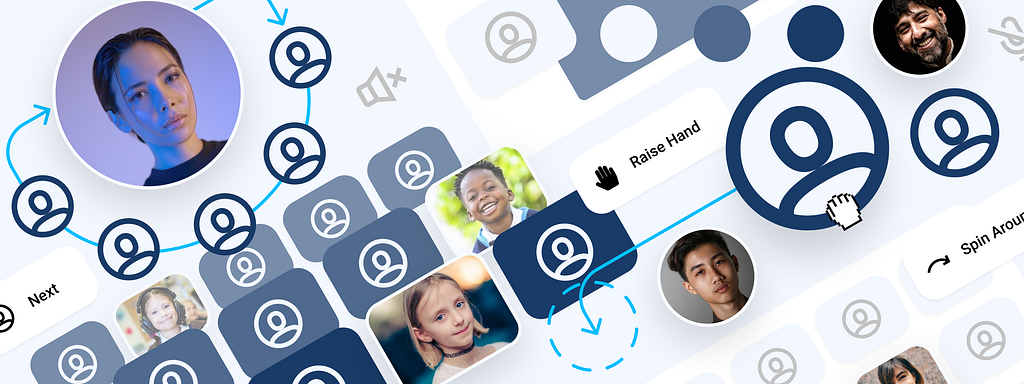
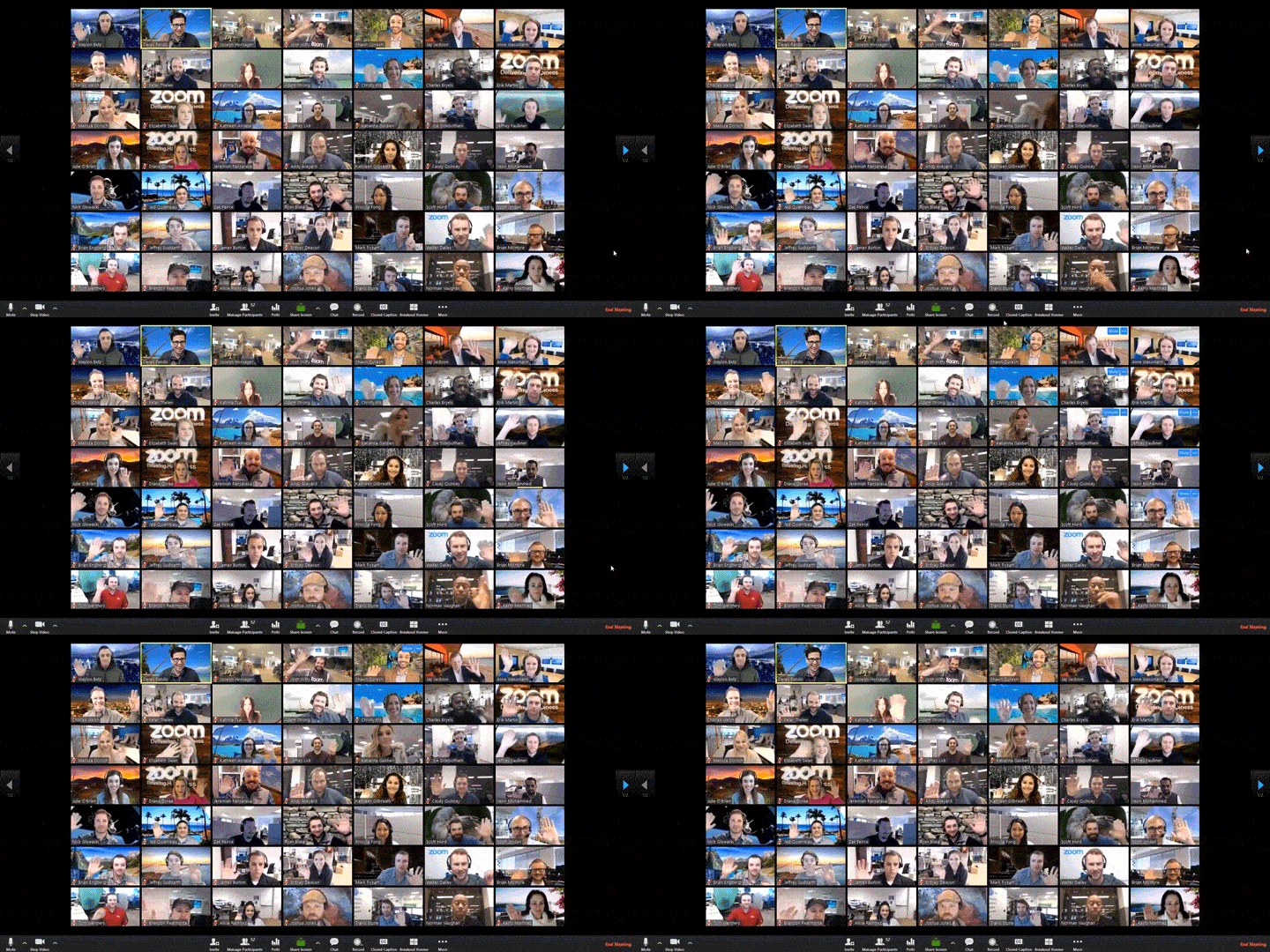
Many recent articles detail how Covid-19 suddenly made video conferencing integral to our professional & personal lives, but few discuss how its legacy user experience struggles to accommodate our new use cases: schools, concerts, happy hours, etc. Despite decades of massive shifts in atoms & bits, they've seen little experiential innovation. The interfaces of today's prominent products, such as Zoom & Google Meets, still focus on a static grid of faces that is strikingly undifferentiated from the 1970s Picturephone.
Video conferencing has mostly ignored spatial context, but many activities require specific physical arrangements. As our needs for video calls go beyond the conference room, a grid of faces is a questionable environment for many of our emerging use cases. I believe this is a great opportunity to explore how a concept called spatial interfaces could humanize the user experience. John Palmer, another product designer, has already started exploring this notion& succinctly summarized the problem statement:
"When in real life are you ever looking at a grid of faces?"
The potential of spatial interfaces
Spatial interfaces embody our expectations of a physical model into our software, letting the experience live in the dimensions of space & time—as Pasquale D'Silva explains in the seminal article on the concept. By encoding meaning using motion & space, they reinforce familiar multi-dimensionality to make experiences feel more intuitive & engaging. This is the type of value proposition today's products ignore, but Shawn Sprocket, Design Director of Emergent Experiences at Godfrey Dadich Partners, provides an eloquent counterpoint in his critique of the current state of video conferencing:
"Real connection is built on the messy interactions between people — which is not an efficiency problem as much as it is an environment problem."
Perhaps spatial interfaces can provide environments that will evolve the experience. Assuming augmented & virtual reality like HoloLens are far from widespread adoption, I explored a few thought starters that are feasible with our current software & hardware. The use cases I chose are just a few I've had personal (lackluster) experiences with, but there are many more to consider & I hope this inspires other designers to continue the exploration.
Exploration 1: classrooms (hierarchy & focus)
The friction was obvious when my sister's elementary class attempted to go digital during quarantine — students hijacked the mic, drew on the teacher's screen, & the quiet ones didn't get called on.
Could we add classrooms' familiar spatial relationships to increase focus?
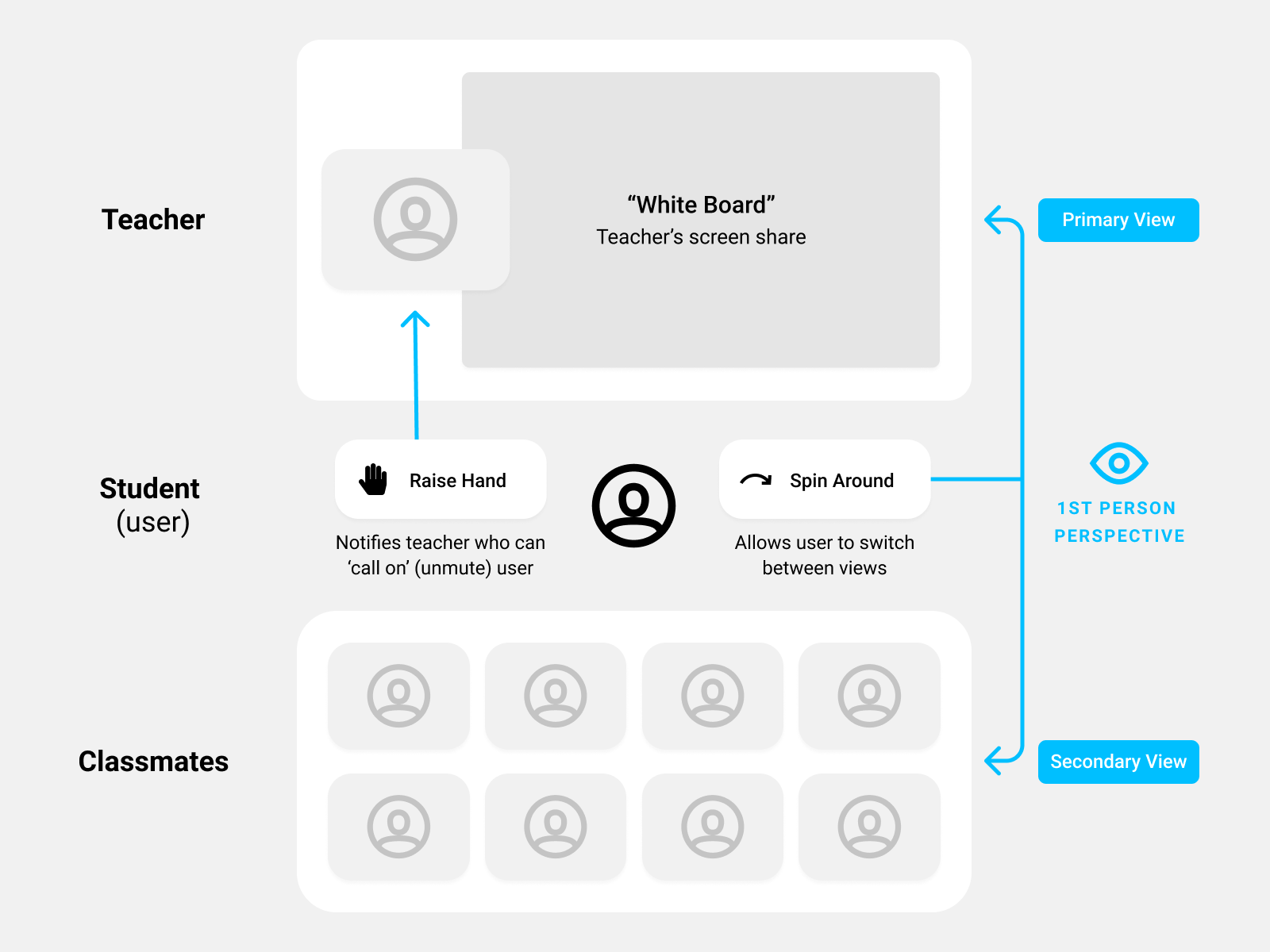
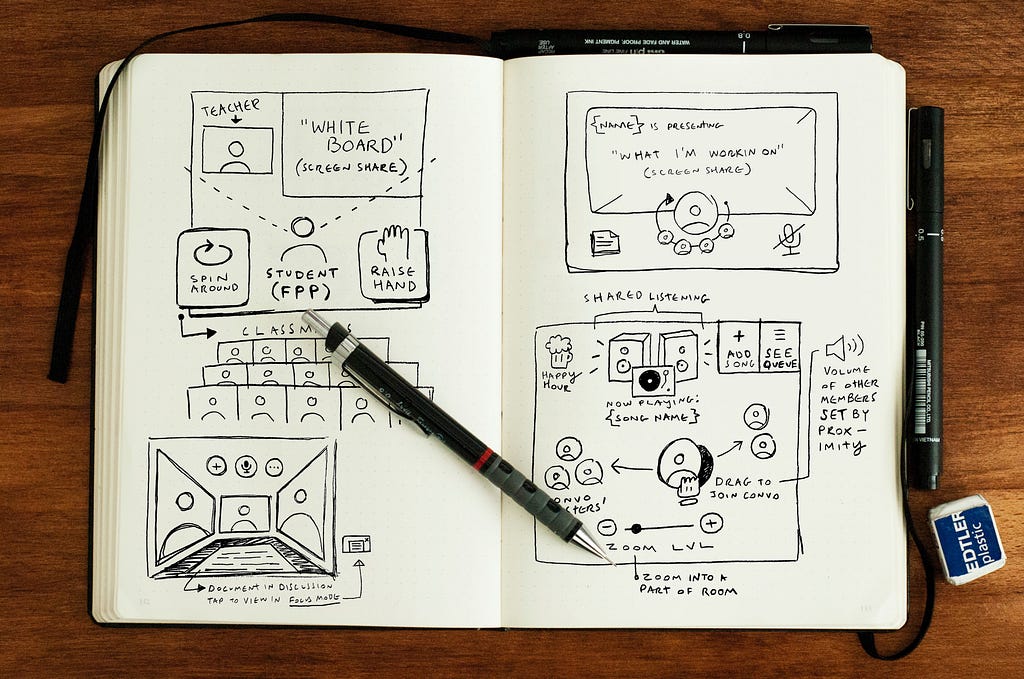
Exploring the student experience, we could design a primary view of the teacher & her screen share (the "White Board") simulating a front row seat, a "Spin Around" button to see classmates (perhaps only enabled when one is called on). Lastly, user video is omitted so students don't mirror gaze in class.
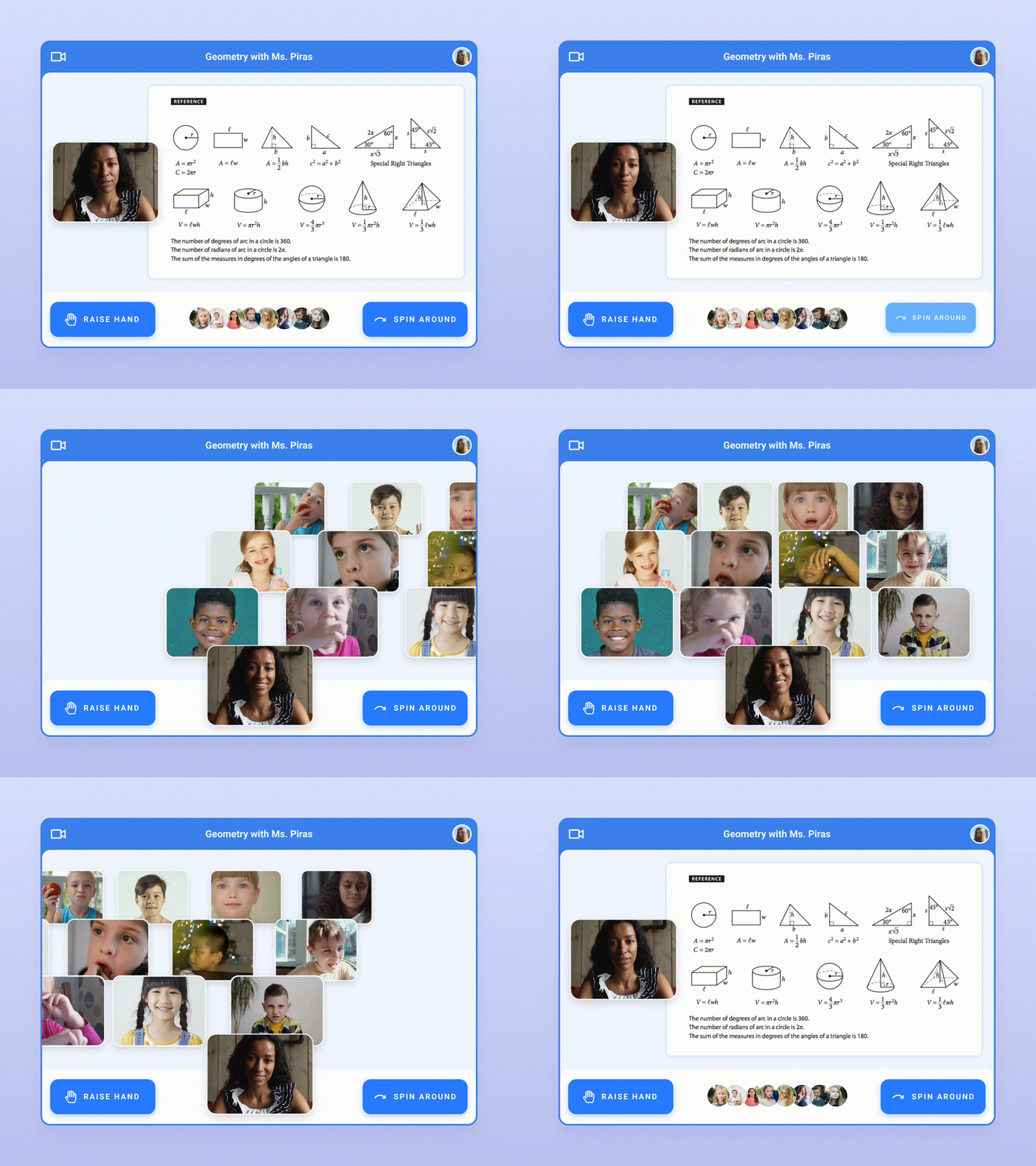
Exploration 2: Engineering stand-ups (flow & speed)
Stand-up is a clearly defined daily use case to optimize for & the technical literacy of engineering teams allows for more advanced paradigms.
Could a circular huddle formation add flow to increase meeting speed?
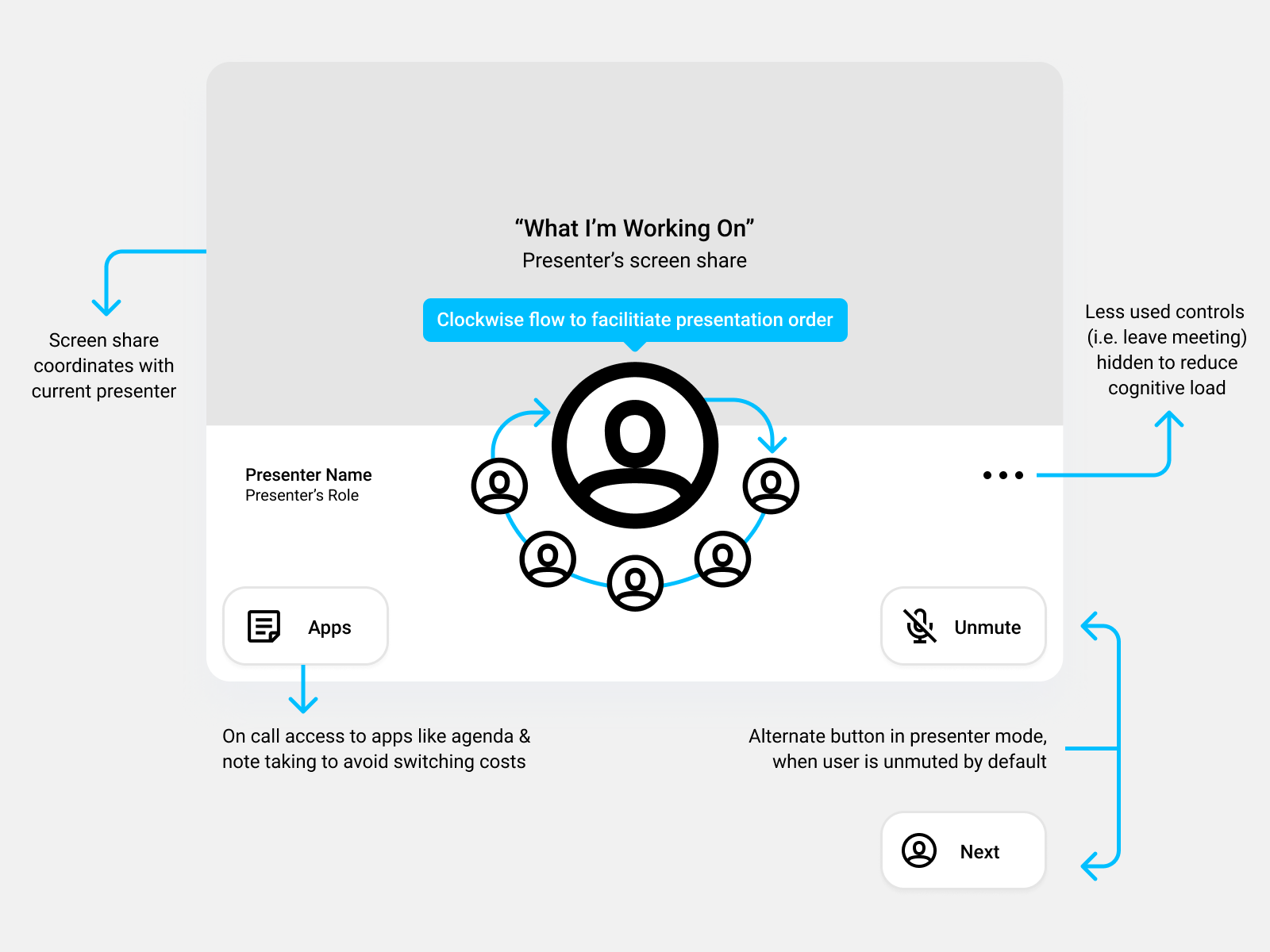
As if sliding everyone's chairs together, mediating a circular flow could reinforce presentation order. Further spatial relationships could be explored by baking in commonly used tools, like agendas & note taking apps, to avoid app switching costs — so users don't have to leave the room to access materials.
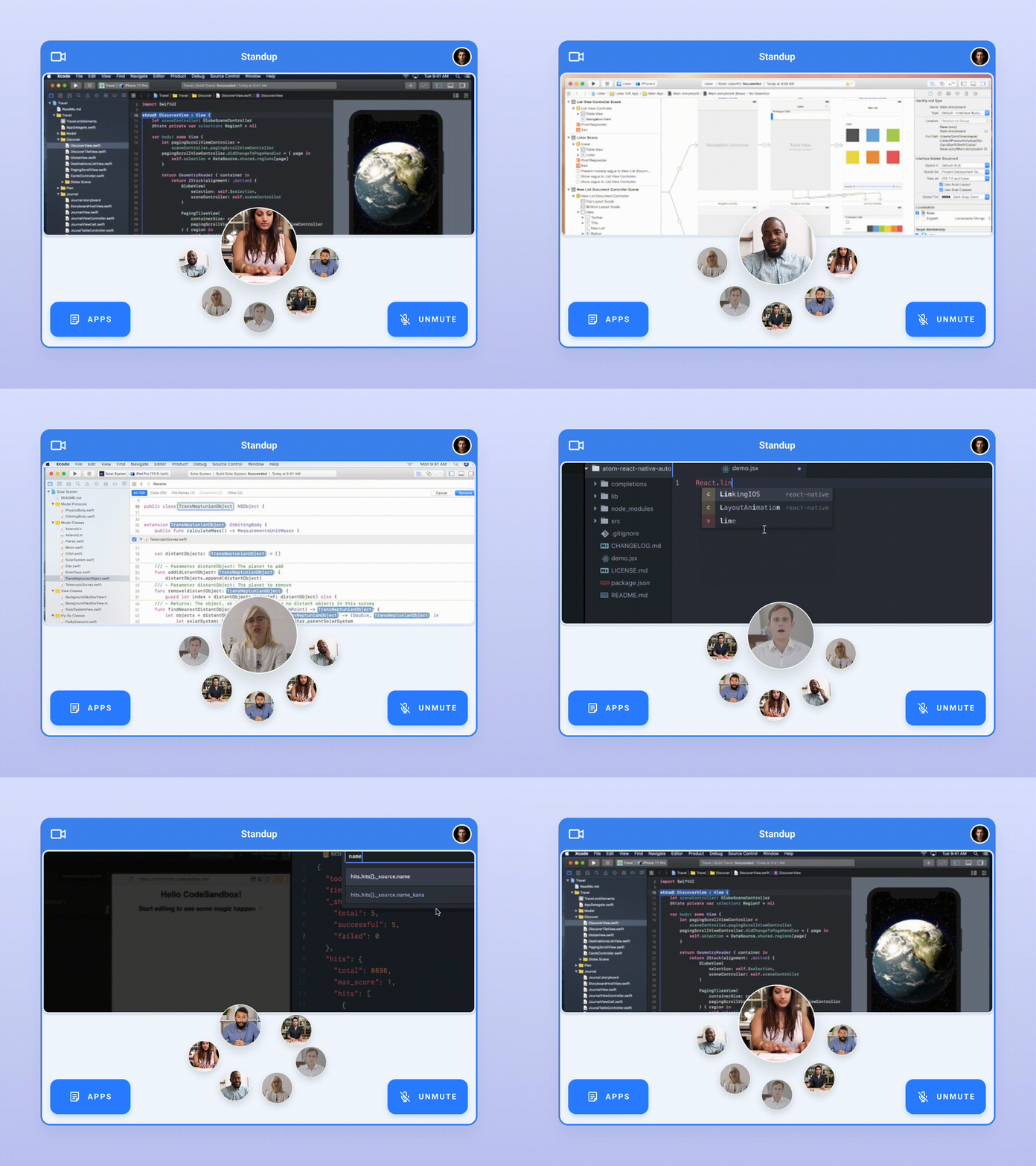
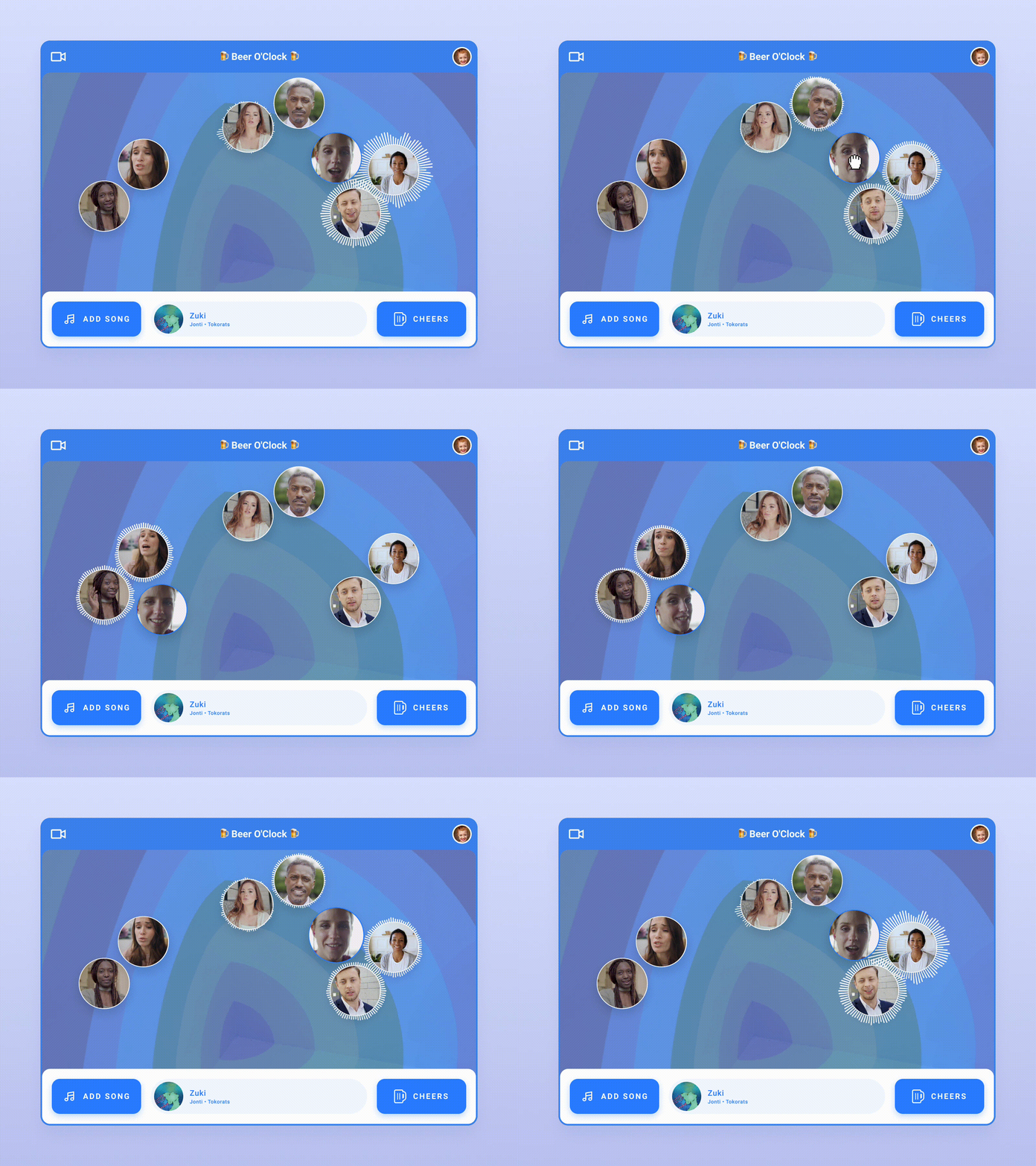
Exploration 3: happy hours (optionality & volume)
Bars provide optionality via big groups & intimate conversations in the corner. However, video conferencing is built for centralized focus, causing groups to talk over each other during informal meets. Zoom touched on this with breakout rooms, but the experience is rigid.
Could a freeform layout make happy hours more fun?
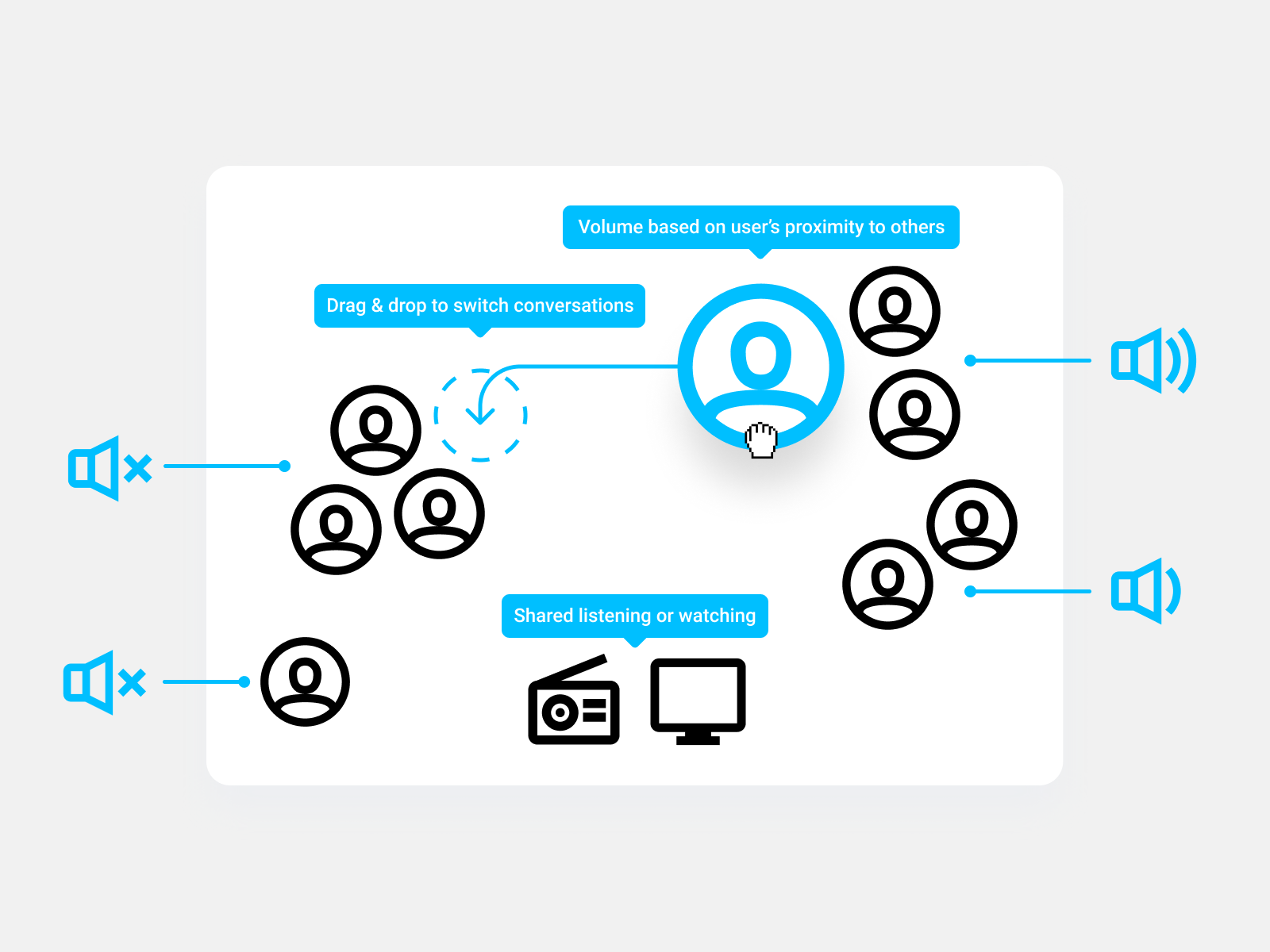
This exploration simulates physical space by adjusting the volume of participants based on the proximity of their video feeds. Users can seamlessly transition conversations by dragging & dropping themselves anywhere on the canvas. Paired with shared listening or viewing, it's almost a party.
Thanks for joining me in reimagining video conferencing's antiquated user experience. These explorations are just a few thought starters in need of further validation through measures such as user testing. You could imagine today's incumbents breaking up their product to experiment on new use cases like these, or an emerging startup focused on solving one aspect exceptionally well—perhaps founded by someone like you!
Today's design paradigms aren't set in stone & rethinking tired patterns lets us avoid building faster horses so we can instead focus on evolving experiences.